Github Page + Hugo 免费搭建个人博客
使用github page + hugo完成博客搭建,无需购买任何服务。github作为存储,hugo将md渲染为静态页面,加上github page完成静态博客
部署实操
- hugo安装
brew install hugo - 本地hugo项目构建
- 创建hugo项目
hugo new site zorro-blog - 下载theme,可以到
官网
选择,每个theme的介绍中会有本theme的安装和使用方法,这里使用theme
next
git submodule add git@github.com:hugo-next/hugo-theme-next.git themes/hugo-theme-nextcp themes/hugo-theme-next/exampleSite/config.yaml .mv config.toml config.toml.backup
- 本地启动项目
hugo server -t hugo-theme-next --config config.yaml通过回显的本地地址查看效果
- 构建静态页面
hugo -t hugo-theme-next --config config.yaml- 将构建的结果从public目录移动到docs目录
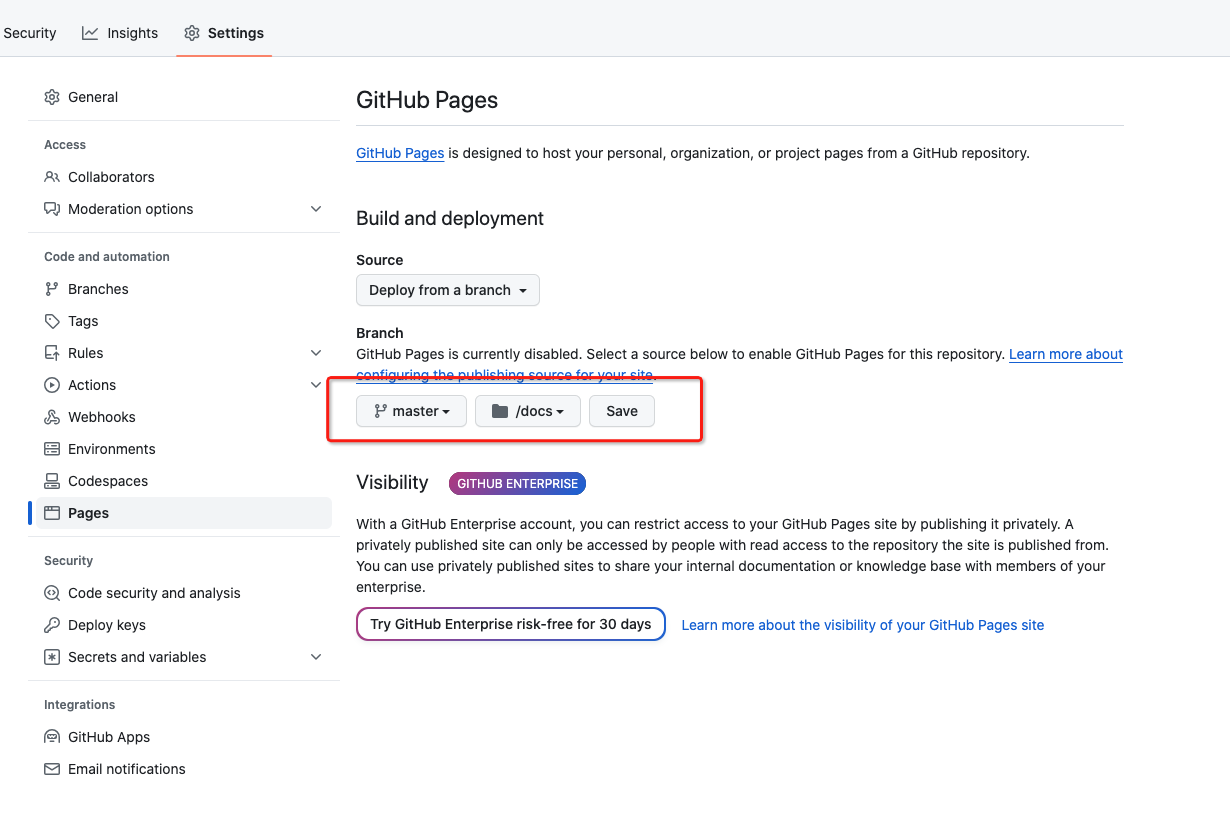
mkdir -p docs; cp -r public/* docs
- 创建hugo项目
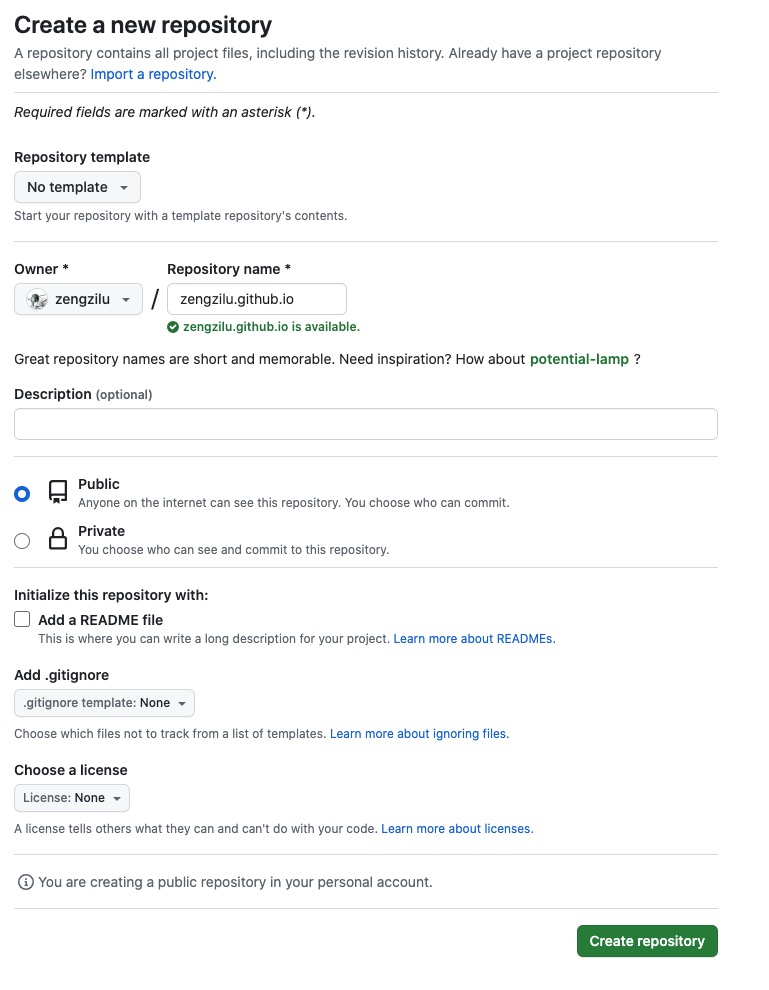
- 创建git仓库&使用github page
- 提交本地项目到远端
git initgit remote add origin git@github.com:zengzilu/zengzilu.git- 全部提交到远端,add commit push
- 设置github page配置